Your disk, mapped.
A native disk-space analyzer for Mac. Scan your whole disk, an external drive, or any folder — see exactly what's taking up space as a colorful map you can drill straight into.
Free, no accountSigned & notarizedNot affiliated with Apple
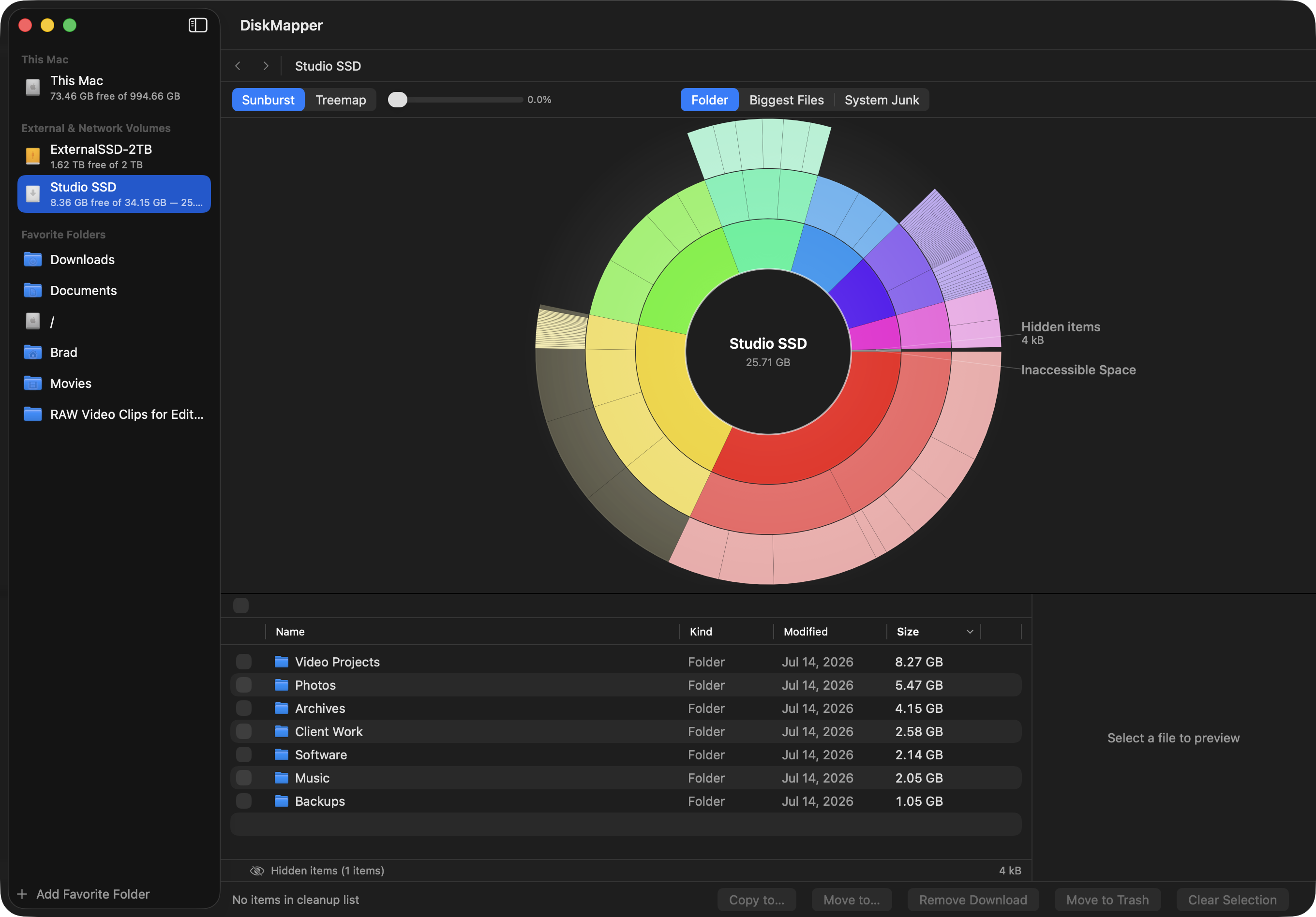
Sunburst view of a real scan — an external SSD, 25.57 GB
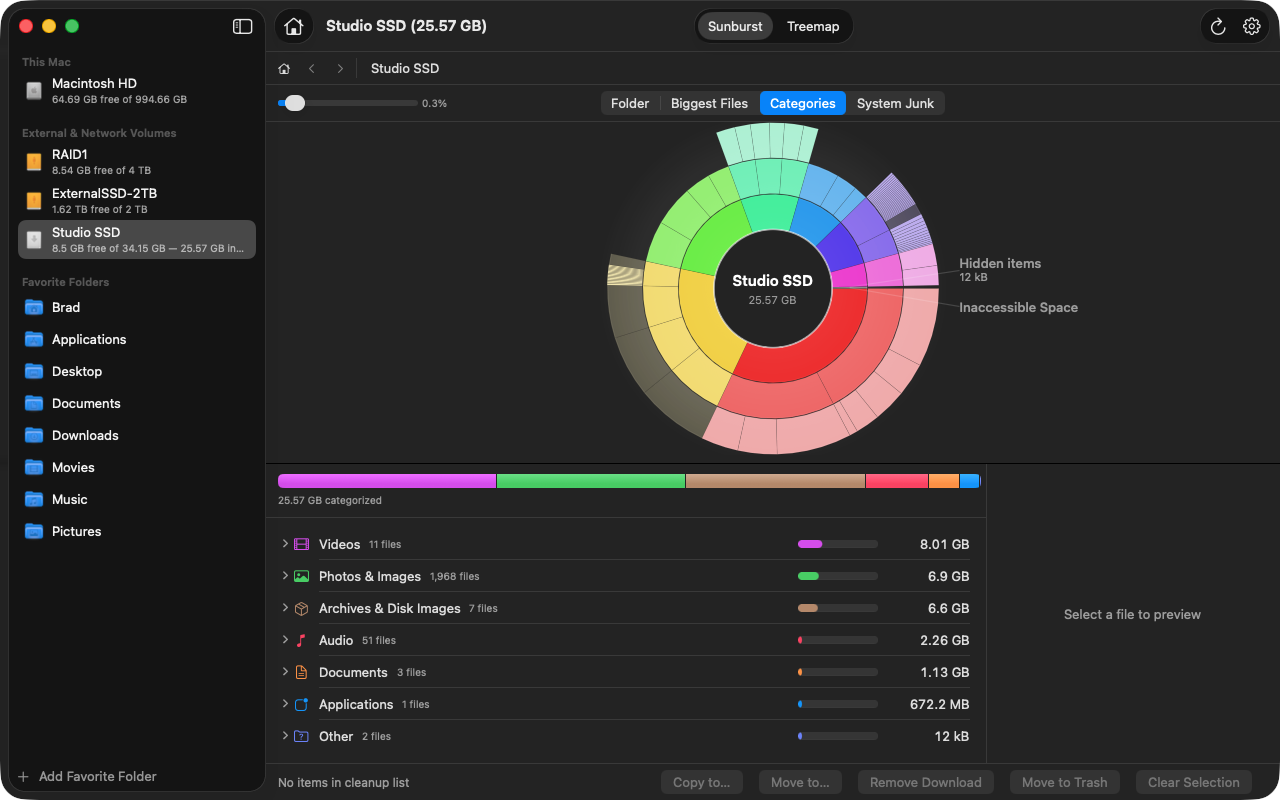
See what's using space — then do something about it.
DiskMapper gives you the tools to quickly analyze your disk usage and quickly cleanup junk and abandoned files.
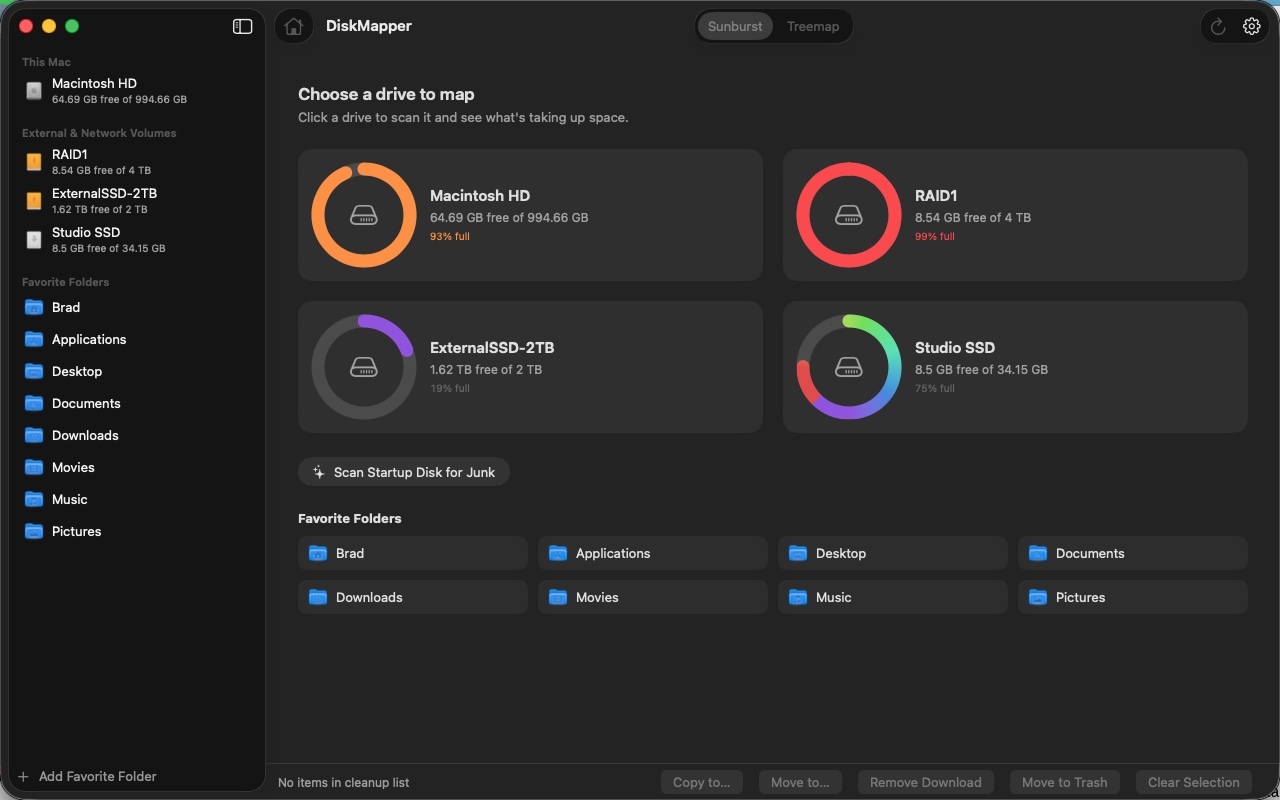
Drive gallery home screen
Every drive shows up as a card with a ring showing how full it is — click to scan. Your home folder is set up as a favorite from the start, and a Home button gets you back anytime.
Two visualizations
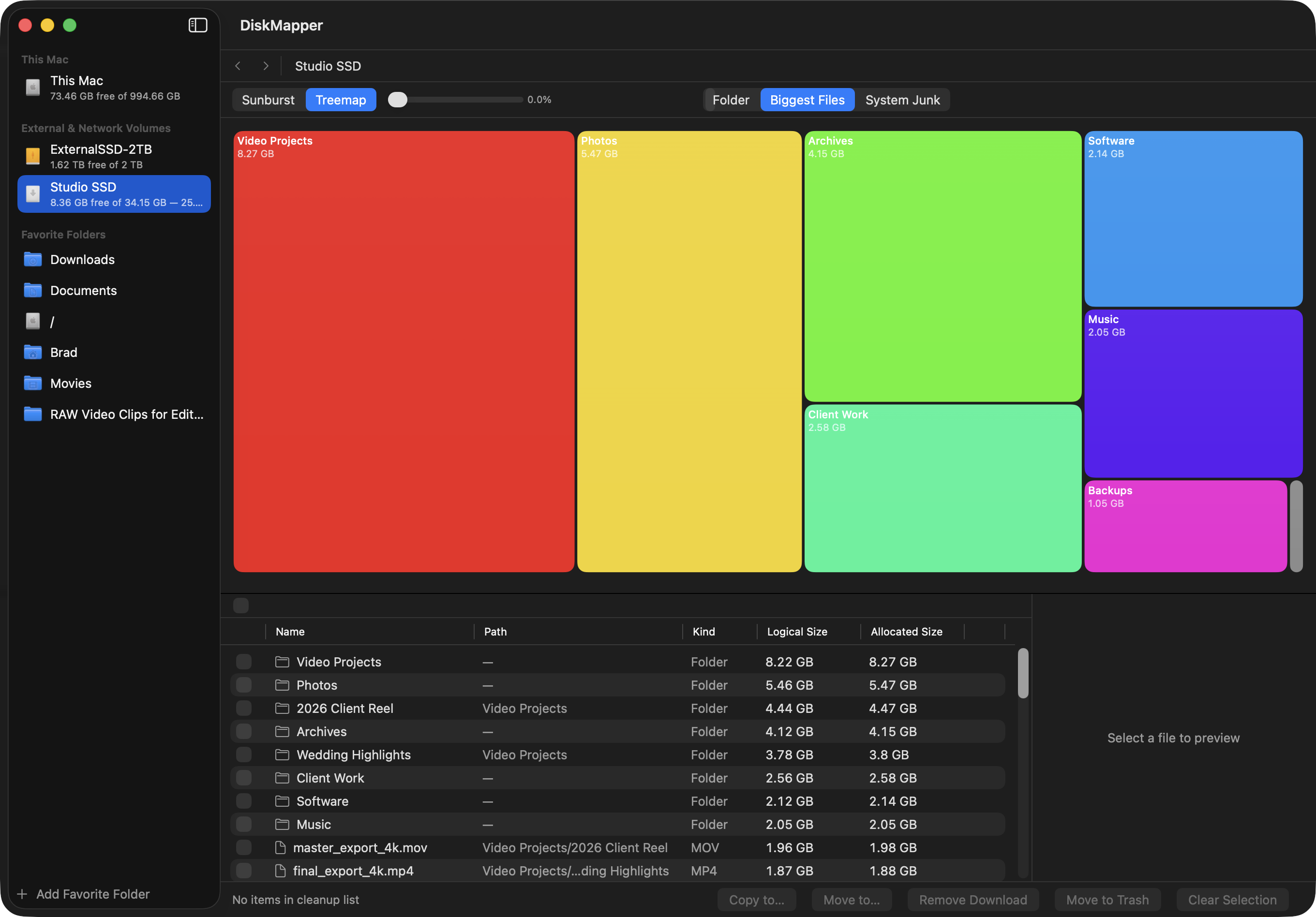
Instant switch between a sunburst and a treemap with ⌘1/⌘2 — no rescan, same data, two ways to see it.
Full navigation
Double-click to drill in, browser-style back/forward (including mouse buttons 4/5), and hover highlights that sync between the map and the file list.
Biggest Files panel
The largest items on the whole volume, with relative paths, so the worst offenders are never buried three folders deep.
System Junk panel
Caches, old diagnostic reports, orphaned app leftovers, and stale DerivedData — classified with confidence levels; high-confidence items are pre-added for you.
Cleanup list
Cross-view checkbox selection with running totals that honestly exclude cloud placeholders. Move to Trash, evict iCloud downloads, or Move/Copy to elsewhere.
Permission-honest UX
Clear onboarding for Full Disk Access, and an orange "No access" warning per source instead of silently showing zero.
Nothing about your disk leaves your Mac.
- No account, ever
- No telemetry
- Update checks are the only routine network call, and you can turn them off
| What leaves your Mac | |
|---|---|
| Update check | Sparkle appcast, this domain only — once a day, off-switch in Settings, no usage data or system information sent |
| Coffee link | Only if you click it — opens your browser |
| Everything else | Never leaves your Mac |
Download for MacOS.
DiskMapper is free, signed, and notarized. Download it now; it checks for updates automatically.
Version 0.9.2 · macOS 26 Tahoe or later · Apple silicon · Signed & notarized by Apple.
The core is stable and in active use — this is a public beta, so development is ongoing and reports of anything odd are genuinely welcome at [email protected].
Questions worth answering plainly.
Do you make other apps?
Yes — BackupTempo, a native macOS menu-bar app that takes control of when Time Machine backs up: custom intervals, scheduled times, blackout windows.
Is this made by Apple?
No. DiskMapper is an independent app, made in Canada by Brad Macdonald. Not affiliated with Apple.
Is DiskMapper free?
Yes — donationware. Nothing is locked behind a paywall. If you find it useful, there's an optional "Buy Me a Coffee" link.
Does it need special permissions?
Full Disk Access, so it can see and manage files across your whole Mac. Onboarding walks you through granting it, and any source you don't grant access to shows a clear orange "No access" warning instead of silently reporting zero.
Does it send any data anywhere?
No account, no telemetry. The only routine network call is a once-a-day check against diskmapper.app for new versions (no usage data or system information is sent, and you can turn it off in Settings). The only other outbound action anywhere in the app is clicking the coffee link, which opens your browser.
What happens to my iCloud files?
Cloud placeholders and downloaded files are badged and handled correctly. Evicting a placeholder frees space without deleting the file from iCloud.
Is this a duplicate finder or an uninstaller?
No. DiskMapper is a disk-space map with a Biggest Files panel and a System Junk detector — no dedupe engine, no app-uninstall feature.
Which macOS versions does it support?
macOS 26 Tahoe and later.
Why isn't it on the Mac App Store?
Sandboxing doesn't allow the Full Disk Access and file-management this app needs. It ships as a direct, signed download instead.
How do updates work?
DiskMapper checks diskmapper.app once a day for new versions and offers to install them — no account, no manual downloading. Turn it off any time in Settings, or check manually via the app menu's "Check for Updates…".